EDC Mediator (REDCap/OnCore)
| Type | Description |
|---|---|
 | Organizes information by Project > Patient > Form > Field to make it easier to query EDC-style databases like REDCap and OnCore. |
Select the REDCap/OnCore icon to start creating a new EDC Mediator.
Select the EDC (REDCap/OnCore) Schema
The EDC Mediator Wizard will show you a list of all Database Connections. You must select a compatible REDCap or OnCore schema, or the Wizard will not proceed.
GeneTegra checks to see if the selected schema has the correct structure for an EDC Mediator before proceeding.
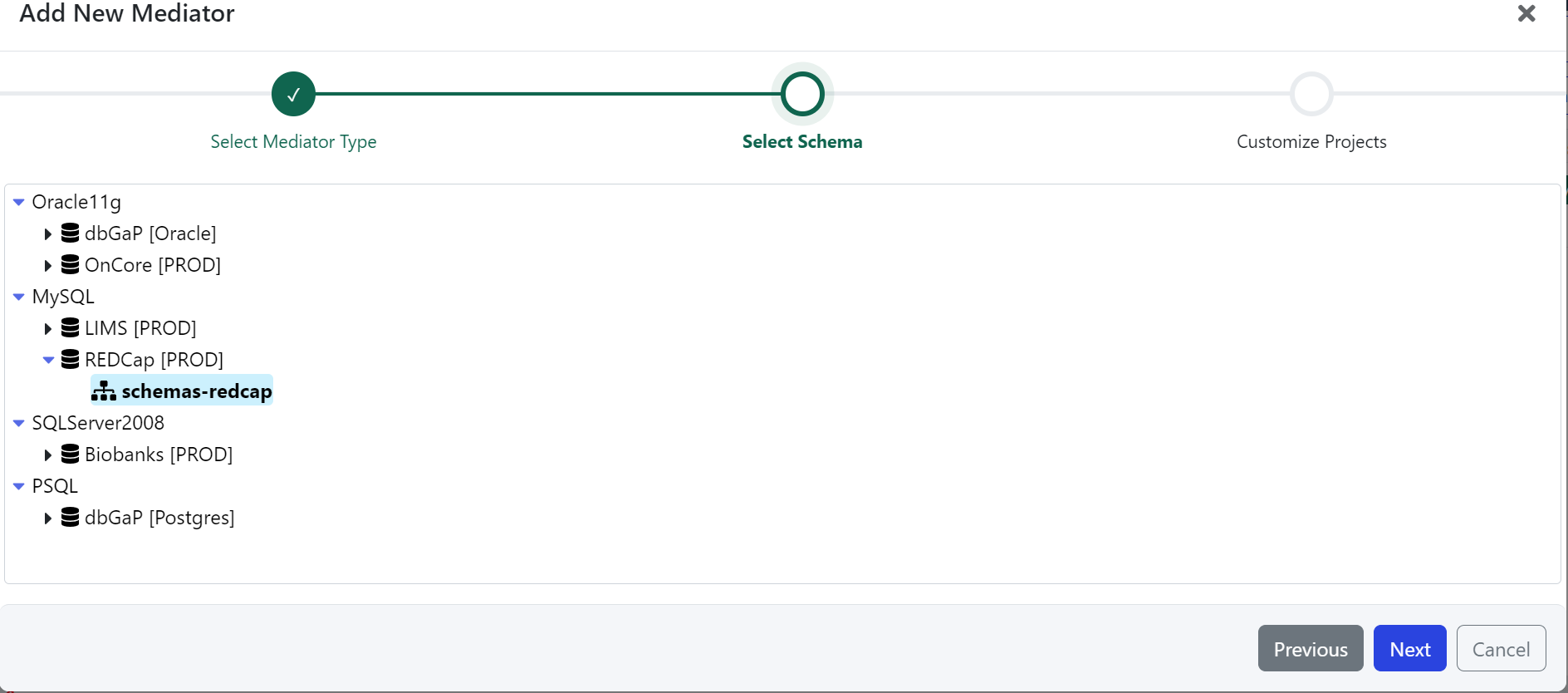 EDC Mediator Wizard. Select a REDCap or OnCore schema to proceed to customizing the Mediator.
Customize the Mediator
Once you've selected the database schema, you can configure the Mediator metadata and customize the mediator's underlying model.
| Field | Description |
|---|---|
| Title | Title of the Mediator |
| Description | (Optional) Description to help users find and understand the Mediator. |
| Tags | (Optional) List of tags that can be used to help users find and understand the Mediator. |
| Ontology URI | (Optional) Unique URI identifier for the Mediator and configures the URI prefix that is used to define the Mediator's properties. Automatically generated if not specified. |
| Ontology Version | (Optional) Version string or URI for the Mediator's Ontology that is used to track changes (versions) of the Mediator's model. Typically appended to Ontology URI. Automatically generated if not specified. |
Each Mediator is assigned a unique identifier. It is possible to create multiple Mediators with the same Title, Description, or Tags.
You cannot reuse the same Ontology URI for multiple Mediators. In this case, creating the Mediator will fail.
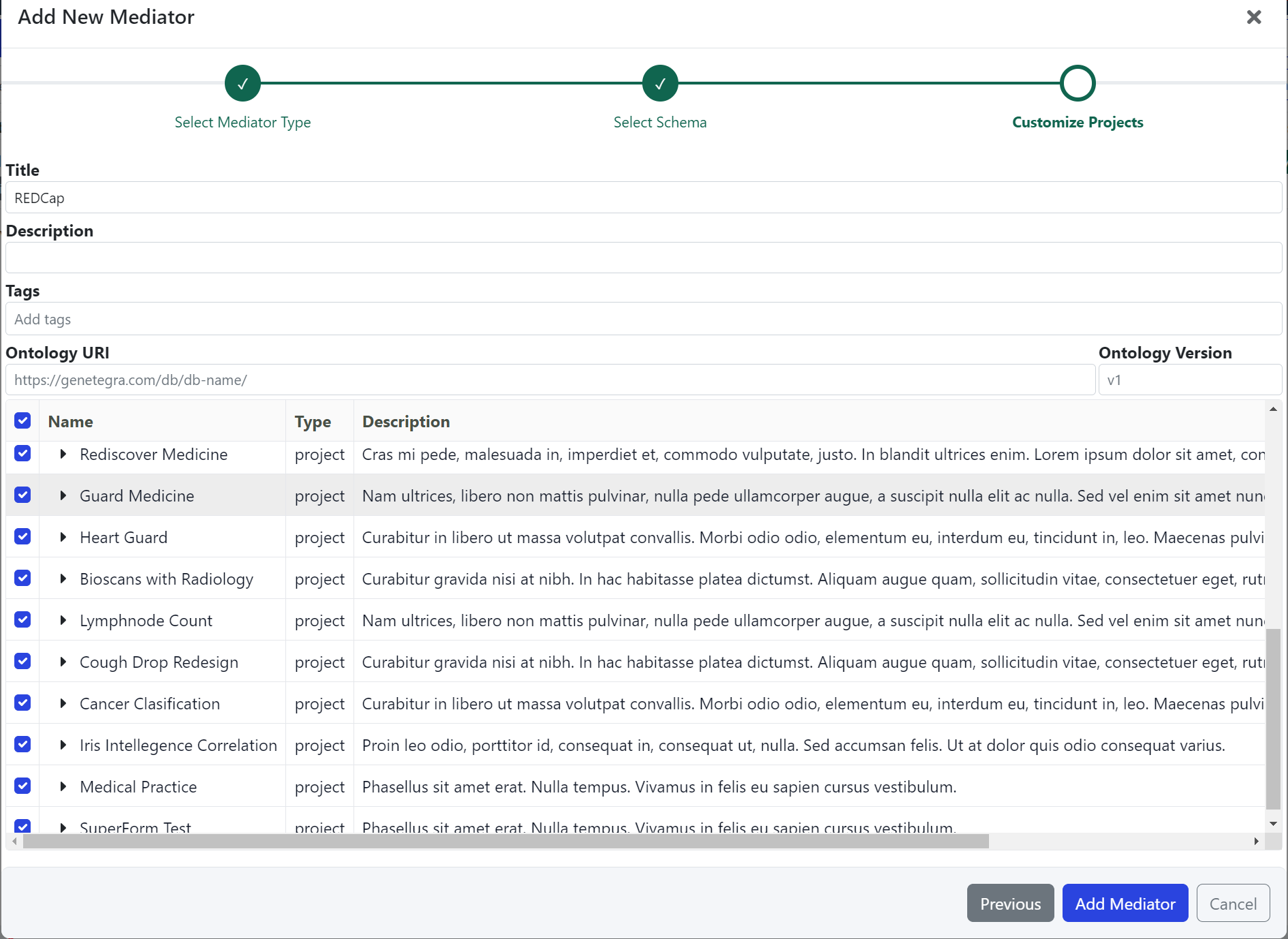 The EDC Wizard shows a list of the Projects found in the EDC database.
Customize the EDC Projects
You can explore the Projects, Forms, and Fields stored in the EDC system and select the items to include in the Mediator. Clicking on the arrow next to each project expands to view the project's forms, clicking on the form will show the form's fields. Use the ✅ check box to include or exclude the EDC items from the Mediator.
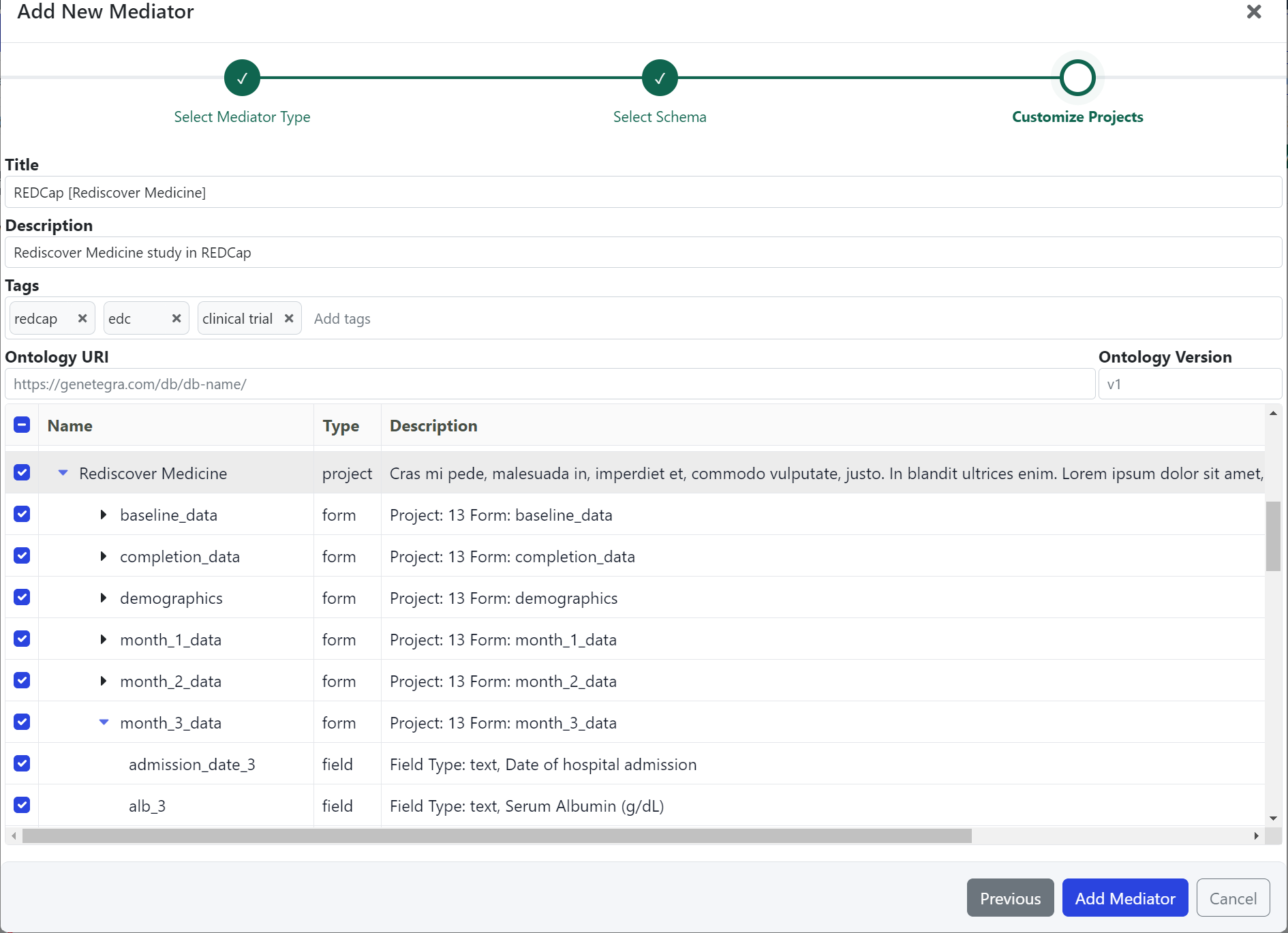 The
The Rediscover Medicine Project and its Forms are selected to generate a new EDC Mediator.
Submit the Mediator and Begin Querying
When your Mediator is ready to be created, click Submit.
GeneTegra will build and deploy the Mediator.
Once the Mediator has been created, you will be redirected to the Query Builder.